Skip to content
Home » How to Manually Create an llms.txt File in Your Shopify Store

How to Manually Create an llms.txt File in Your Shopify Store

Creating an llms.txt File Manually in Shopify

If your store is built on Shopify, you can manually create an llms.txt file to help AI models and bots easily identify the most important pages of your store. This file works similarly to a sitemap and helps LLMs better understand your content.

How to Do It

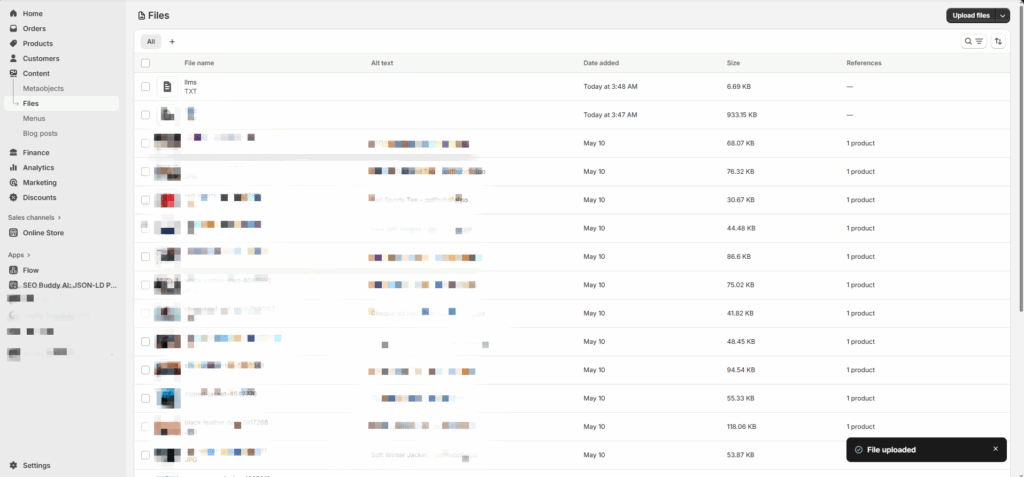
Upload the file to Shopify:
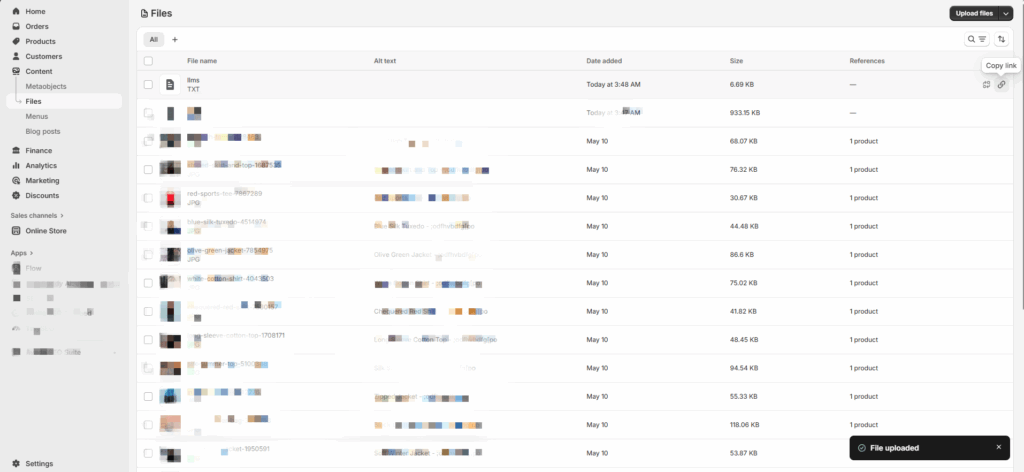
Go to content, file → upload your llms.txt text file.

Copy the file link:
After uploading, Shopify will provide a public link to your file, such as:
https://cdn.shopify.com/s/files/…/llms.txt

Create a redirect for root access:
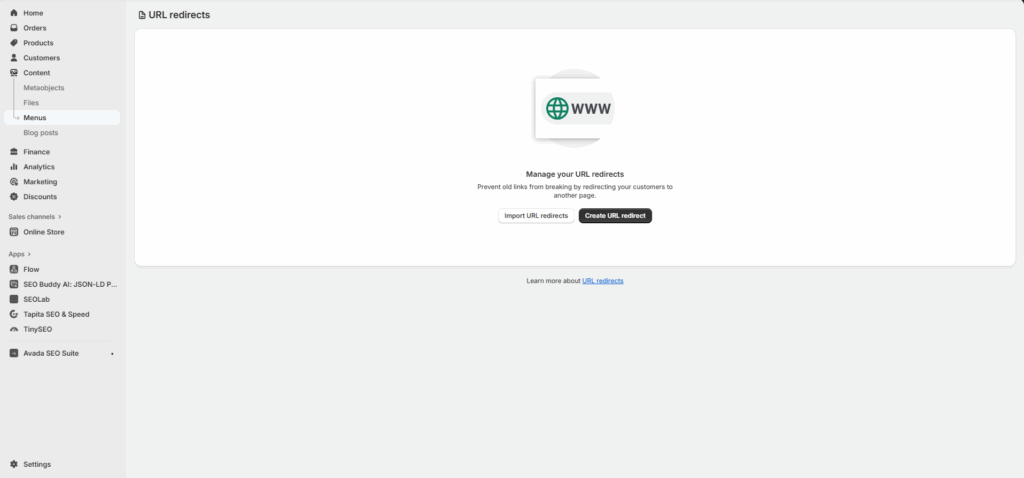
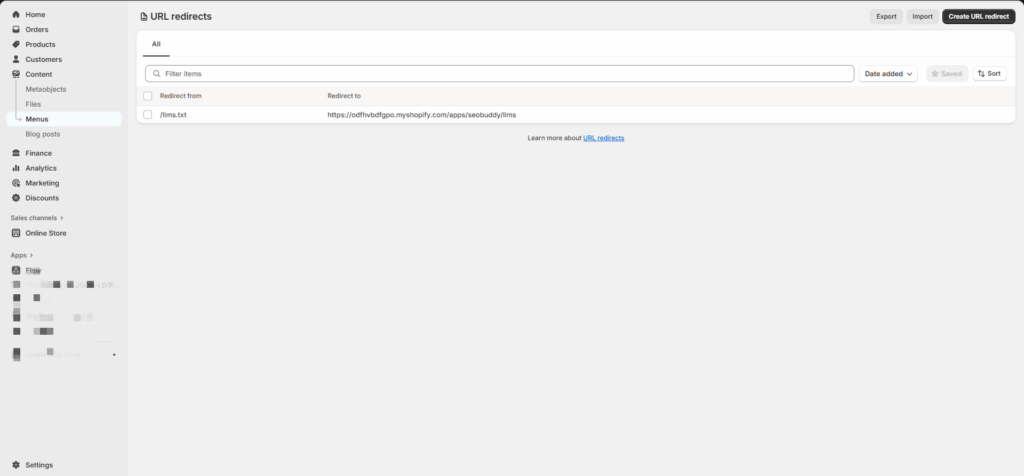
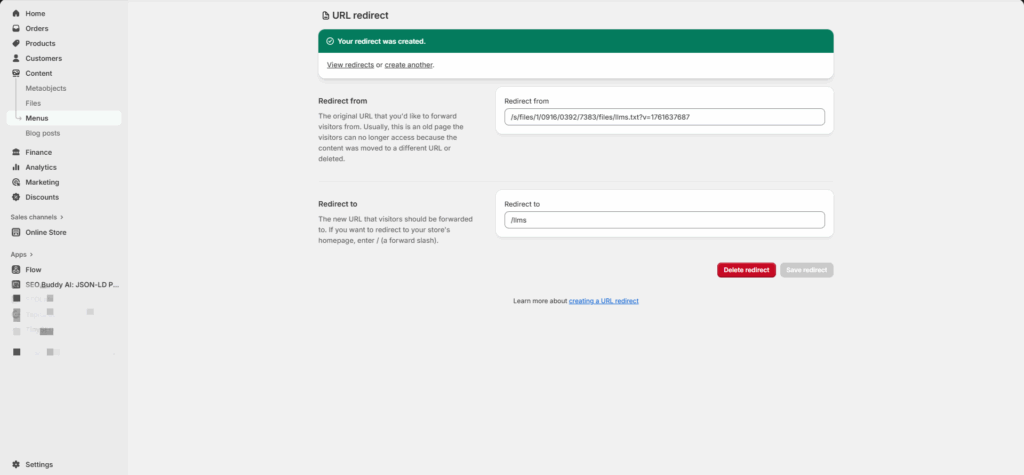
Go to content → menus → URL Redirects and create a redirect:

Redirect from: /llms.txt

Redirect to: your uploaded file link

This way, any bot or LLM visiting https://yourstore.com/llms.txt will be directed straight to your file.

Sample llms.txt Structure

# MyStore — llms.txt
> Our store offers high-quality handmade leather bags.

## Important Pages
- [Home](https://yourstore.com)
- [All Products](https://yourstore.com/collections/all)
- [Shipping & Returns](https://yourstore.com/pages/shipping-returns)

## Collections
- [Women Bags](https://yourstore.com/collections/women-bags)
- [Men Bags](https://yourstore.com/collections/men-bags)

## Excluded Pages - [Cart](https://yourstore.com/cart) - [Checkout](https://yourstore.com/checkout)

Manual Update of llm.txt: Drawbacks

  • No automatic updates: Whenever a new product is added or a collection changes, you must manually edit and re-upload the file.
  • Risk of errors: Pages can be missed or links entered incorrectly.
  • Time-consuming: For large stores, managing this file manually can take a lot of time.


In contrast, the SEO Buddy app offers a reliable, structured, and fully automated solution. It keeps your llms.txt up to date with all store changes, ensuring every important page is always accessible to bots and AI models without the risk of missing pages or errors.
Leave a Reply

Your email address will not be published. Required fields are marked *